Zero-Downtime AWS EMR Deployments
Nov 16, 2025 • 4 min read
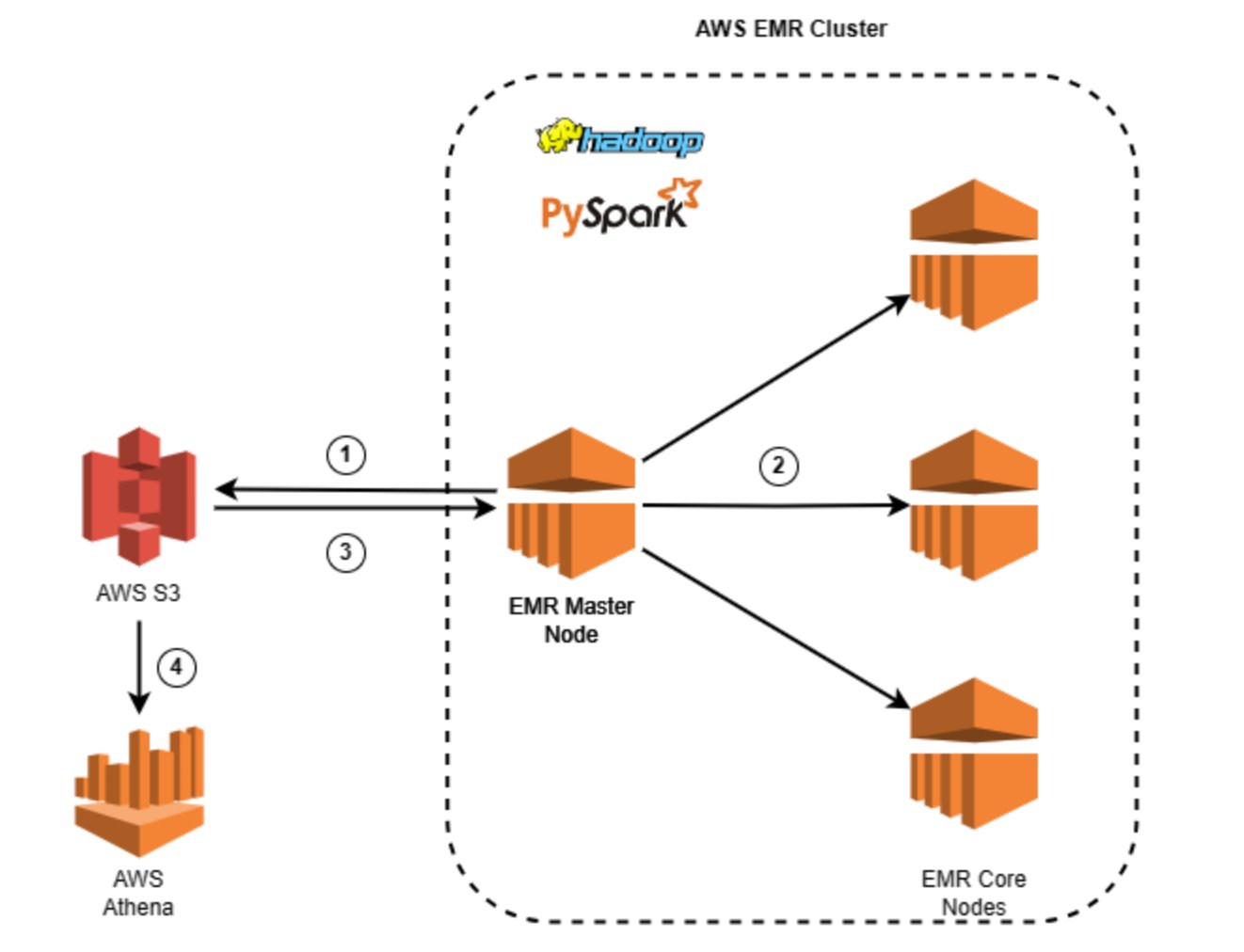
Zero-Downtime EMR Deployments: Lessons Learned from Production
As data engineers, we’re constantly striving for that perfect balance between infrastructure reliability and operational agility. Today, I want to share a valuable lesson we learned during a production deployment that involved recreating our Amazon EMR cluster — and how we’re better prepared for the future.
The Challenge: Configuration Changes Requiring Cluster Recreation
Our team recently had a requirement to apply configuration changes to our production EMR cluster that necessitated a complete cluster recreation. This isn’t uncommon in the world of big data infrastructure — certain changes simply can’t be hot-swapped and require a fresh start.
Our Smart Routing Strategy
To ensure zero downtime during this critical operation, we had previously implemented intelligent traffic routing logic. Here’s how it works:
Press enter or click to view image in full size
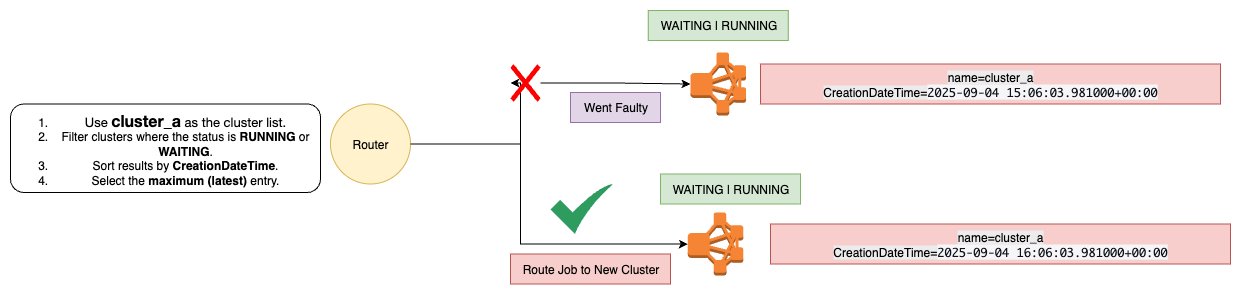
- New cluster provisioning begins while the old cluster continues serving traffic
- Health checks monitor the new cluster’s state
- Traffic switches only when the new cluster reaches the
WAITINGstate (fully healthy and ready) - Old cluster termination happens after successful traffic migration
This approach had worked flawlessly in previous deployments, giving us confidence in our blue-green deployment strategy for EMR clusters.
The Unexpected Delay
During this particular deployment, everything proceeded as planned — except for one crucial factor: cluster provisioning time.
We received this warning from AWS:
We can’t create the Amazon EMR cluster j-XXX for instance fleet if-XX . Amazon EC2 has insufficient Spot capacity in [], and insufficient On-Demand capacity in [{us-east-1b: [m8g.2xlarge]}].
While our zero-downtime routing protected our users from any service interruption (the good news!), the new cluster took significantly longer to provision than expected. The culprit? Insufficient AWS capacity in our selected region and availability zone.
Why This Matters
This experience illuminated a critical blind spot in our deployment strategy. We had optimized for application-level resilience but hadn’t fully accounted for infrastructure availability constraints. In scenarios where rapid cluster recreation is essential — whether for emergency rollbacks, critical security patches, or time-sensitive configuration changes — capacity limitations could introduce substantial delays.
AWS-Recommended Solutions
After reaching out to AWS and researching best practices, we identified two primary approaches to mitigate this risk:
1. Capacity Reservations (Recommended for Critical Workloads)
Press enter or click to view image in full size
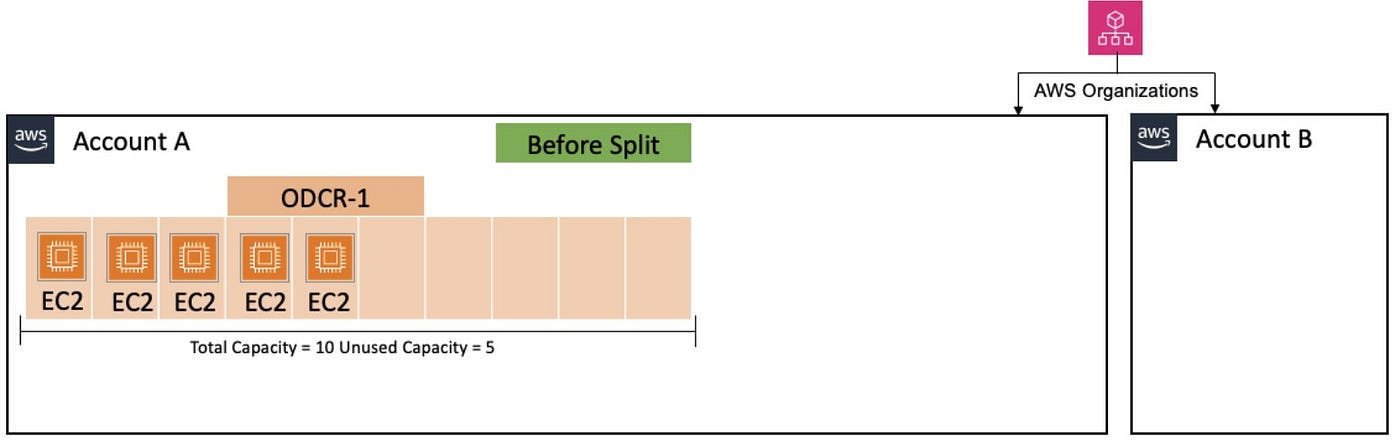
AWS Capacity Reservations guarantee that the required EC2 instances are available when you need them. Here’s what you need to know:
- Guaranteed availability: Your specified instance types in chosen availability zones are reserved for your use
- Pricing model: You’re charged at the equivalent On-Demand rate regardless of whether you use the reserved capacity
- Cost optimization: These charges can be offset by Savings Plans or Reserved Instances if applicable
- Peace of mind: No more provisioning uncertainty during critical deployments
This solution is ideal for production environments where predictability trumps cost optimization, and where deployment delays could have business impact.
2. Flexible Availability Zone Selection
For more cost-conscious approaches or development environments, consider:
- Remove AZ specifications when submitting instance requests, allowing AWS to select from available capacity across all zones
- Multi-subnet configuration: If using a non-default VPC, configure subnets across different availability zones
- Let AWS optimize: This approach leverages AWS’s global view of capacity to find available resources
This method trades some control for flexibility and can help avoid capacity bottlenecks without additional costs.
Reference: AWS Knowledge Center: Insufficient Capacity Errors
Key Takeaways
- Application-level resilience isn’t enough: Even with perfect traffic routing logic, infrastructure constraints can impact deployment timelines
- Capacity is a finite resource: AWS regions and availability zones can experience capacity constraints, especially for newer instance types or during peak usage periods
- Plan for the unexpected: Future deployments will now factor in potential capacity delays as part of our risk assessment
- Right-size your solution: Choose between guaranteed capacity (Capacity Reservations) and flexible placement based on your workload’s criticality and budget constraints
Moving Forward
This experience has equipped us with valuable knowledge. While we celebrate our zero-downtime achievement, we now understand that deployment velocity can be impacted by factors beyond our application architecture.
For our next deployment, we’re prepared with:
- Awareness of potential capacity constraints
- Multiple mitigation strategies documented and ready to implement
- Informed decision-making about when to invest in Capacity Reservations versus flexible placement
Sometimes the best lessons come from unexpected delays. In this case, what could have been a crisis became a learning opportunity — and we’re sharing it with the community so you can be prepared too.